Interactive explainers
for your customers.
Investors, customers and new hires all ask how it works. Describe it in a sentence, and an AI agent builds an interactive 3D model they can turn, zoom and step through, with a voiceover. Put it on your landing page, in your docs or in a help article.
Put it on your landing page
Embed it with one line of HTML
Paste it where the frame should be: your landing page, your docs, a help article.
<iframe
  src="https://misconception.ai/embed/…"
  width="100%" height="480"
  allowfullscreen>
</iframe>
Copy it from any project’s Share menu. Every option is in the embedding guide.
Choose how it shows
- Plays by itself, slowly turning
- With its steps and controls, or without them
- Opens on the step that matters
- Dark or light, to match your page
- Visitors can step through it, and press any part
What startups make with it
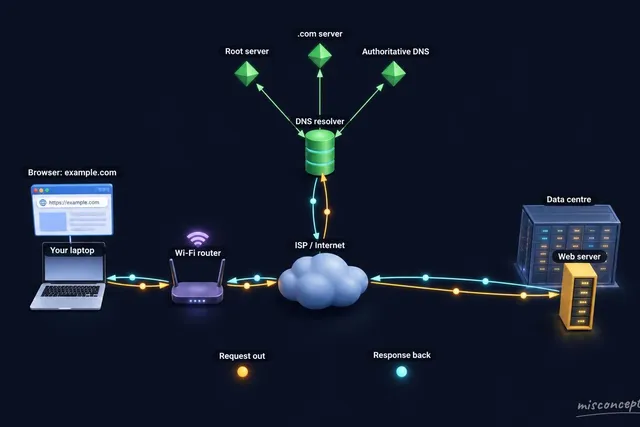 How the product worksWhat happens when you press Enter
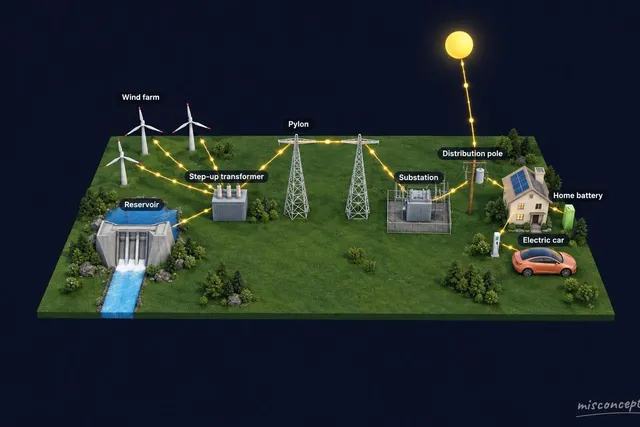 How the product worksFrom wind farm and dam to home
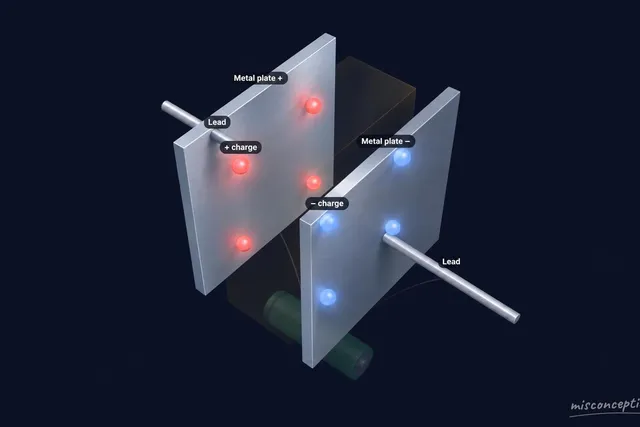 How the product worksHow a capacitor is built
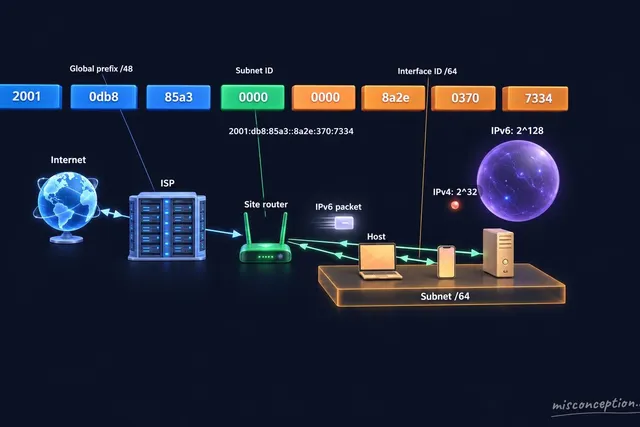 The architecture, for the teamIPv6 addressing
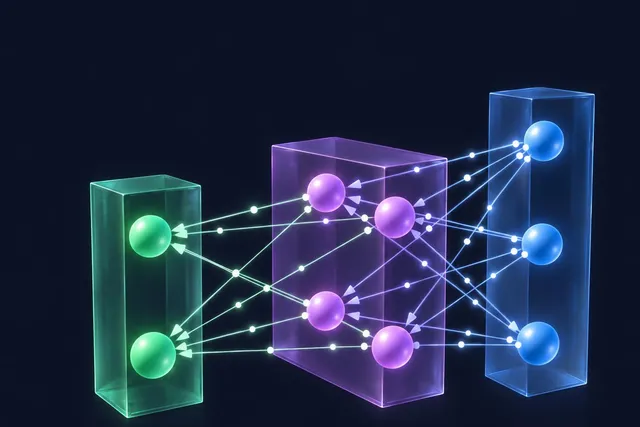 The architecture, for the teamFeed-forward neural network
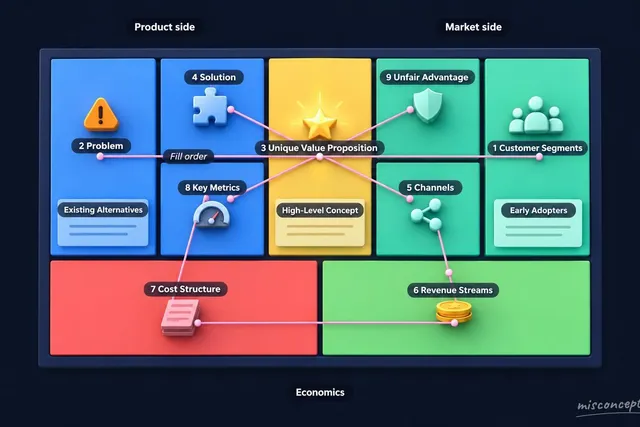 The business modelLean Canvas (Ash Maurya)
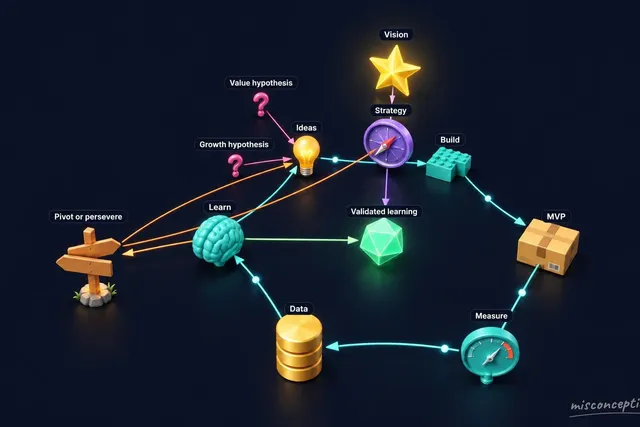 The business modelLean Startup Structure
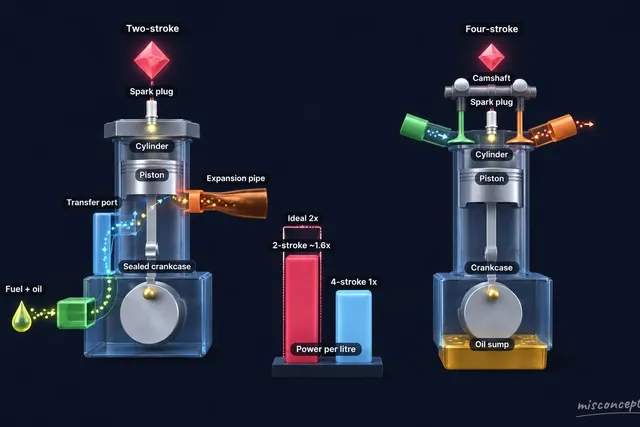 How you compareTwo-stroke vs four-stroke engine
 How you compareCapacity vs capacitance
How it works
- Describe it
A sentence is enough: “How our sync engine resolves a conflict between two devices.”
- Get a 3D diagram
The agent builds the scene, labels its parts and writes a walkthrough, step by step, with a voiceover.
- Refine it, then share it
Ask for changes in the chat. Share the link, or embed it on your site.
Questions
What can it model or visualise?
Pretty much anything a modern AI knows about: a machine, a molecule, a planet’s orbit, an algorithm, a business model, a dance. The gallery shows the range.
Do I need any 3D skills?
No. You describe it in words, the agent builds the model, and you ask for changes the same way.
Can I put it on my website?
Yes. Copy the code from the Share menu: it is a frame that works on any page that takes HTML.
How do I update it once it’s embedded?
Change the project in the chat. Every embed and link shows the latest version; there is nothing to paste again.
Will it slow my page down?
No. The frame loads only when it comes near the screen, and the 3D runs inside the frame, not on your page.
Can I trust what it says?
The agent is an advanced, state-of-the-art AI model from Anthropic, grounded in web search results. It is still AI, and it can make mistakes: check important information, and if something looks off, ask the agent to fix it.
What does it cost?
It is free, within a daily limit. You sign in with Google or an email address to make your own.